Home/Comparison Guide
TI 84 Plus vs. TI 84 Plus CE: Which One Should You Buy?
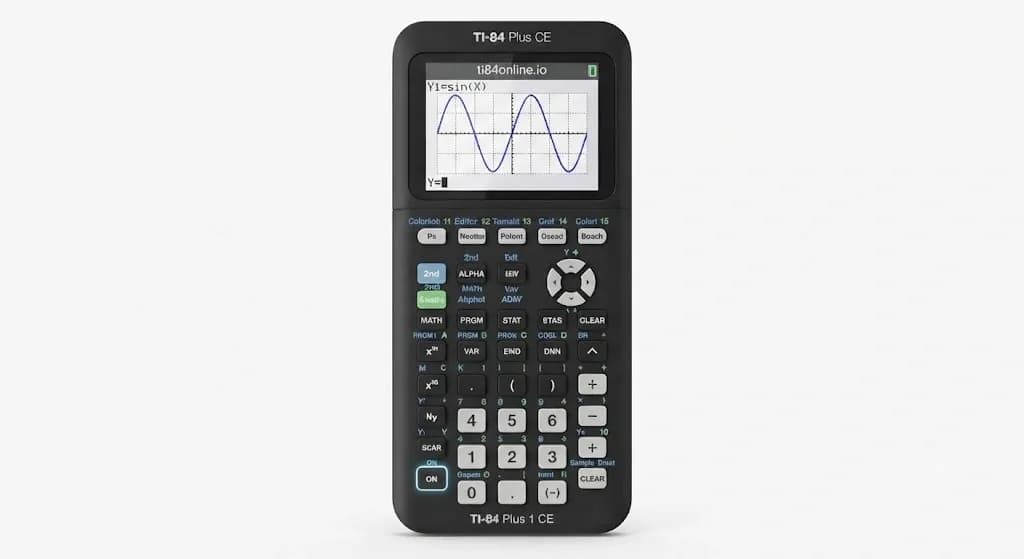
The decision of whether to go for the TI-84 Plus or TI-84 Plus CE is not an easy one since the two calculators have the capability of dealing with all the mathematical tasks. You can plot graphs, work with tables, perform statistical calculations, and perform other scientific calculations through the two calculators. When you compare the TI 84 Plus vs. TI 84 Plus CE, the choice comes down to comfort and long-term use.
The standard TI-84 Plus keeps the familiar layout and may cost less, while the CE gives you a color display, rechargeable battery, faster response, and a slimmer body. I think your budget, school subjects, and future study plans should guide the final decision. We will compare both models side by side. You will see which calculator suits basic schoolwork, advanced math courses, exam use, and long-term study needs.
TI-84 Plus vs. TI-84 Plus CE: Comparison Table
Before diving into the details, use this quick comparison table to see how the two models differ in screen clarity, battery life, and processing speed.
| Feature | TI-84 Plus | TI-84 Plus CE |
|---|---|---|
| Display Type | Monochrome (Black & White) | Full-Color High-Resolution Display |
| Battery Type | 4 AAA Batteries | Rechargeable Lithium-Ion Battery |
| Processor Speed | 15 MHz | 48 MHz (About 3× Faster) |
| Design | Classic, Thicker Build | Slim, Lightweight Frame |
| Graphing | Single-Color Curves | Multi-Color Graphs for Easier Analysis |
| Best For | Tight Budgets and Basic Math | Advanced Math and Long-Term Use |
Why Choosing the Right TI-84 Calculator Matters
Selecting the right type of TI-84 calculator may make daily mathematical calculations seem very easy. Your choice will influence screen sharpness, graph plotting speed, battery consumption, memory, and compatibility with the calculator used by the instructor in the class. The right choice of the model will make it much easier to understand lectures and use the calculator in different classes.
The Real-World Experience: Is Color Actually Worth It?
Color does not fix your problem, but it makes it easier to understand a crowded graph. On the TI-84 Plus, several functions appear on one monochrome display, so you may need to trace each curve. You can separate each line more easily, while the standard TI-84 Plus shows everything on one monochrome display. The older model still handles the same basic math, but the CE usually feels clearer and more comfortable during regular graphing work.
This helps when you compare equations, study data sets, or look for intersections. Color may not matter when you mostly calculate values or graph one function. I would treat it as a clarity upgrade, not a feature that automatically improves your marks.
How Your Calculator Choice Impacts Your Grades
Neither model can replace practice or careful problem-solving. Still, the differences between them may affect how quickly you complete graphing tasks and how often you make simple reading mistakes. The following areas show where each calculator gives you a different experience.
Visual Clarity Equals Accuracy
The TI-84 Plus CE allows for more room on your graph screen with greater resolution. If multiple graphs overlap, then color allows you to associate each one with its corresponding equation. The normal TI-84 Plus has a smaller screen that is black-and-white. Therefore, the CE has an advantage when your classes involve regular function comparisons or data plots.
Battery Management Habits
TI-84 Plus comes with four AAA batteries and one additional battery for RAM protection when changing main batteries. This allows carrying extra batteries and replacing them anytime you need without having to recharge your calculator. The CE uses a rechargeable TI battery. You avoid buying AAA batteries, but you need to remember to charge the device before an exam.
Exam-Day Processing Speed
The CE’s 48 MHz processor is more than three times the listed 15 MHz speed of the TI-84 Plus. You may notice this improvement when several graphs are being drawn, programs are running, or menus contain larger sets of data. However, the CE usually feels more responsive during graph-heavy work, which can save small amounts of time during a test.
Alignment With Classroom Software
Both calculators are members of the TI-84 Plus family, so most commands and activities on the keypad will apply to both calculators. TI Connect CE can also connect a computer with calculators from the TI-84 Plus family for file transfers and TI-Basic program management. The main classroom difference appears on the screen. When a teacher uses a CE and refers to specific graph colors, you will need to identify those functions by line style or order on a standard TI-84 Plus.
Which Version Matches Your Math Goals?
Your choice will depend on your study field and how long you intend to use the calculator. Let us compare the models for three common situations.
Budget-Conscious Student
TI-84 Plus could be a reasonable investment if it costs significantly less than the CE. It covers common graphing, statistics, matrices, tables, and scientific calculations. A used model may offer better value, but you should check the keys, screen, and battery compartment first. The standard model is most suitable when your course needs basic TI-84 functions, and color graphs are not important.
Best for Advanced Math and Science
The CE is the stronger choice for students who expect to study precalculus, calculus, statistics, physics, or other graph-heavy subjects. Its faster processor, larger graph area, color display, and increased storage make repeated use more comfortable. You should look for the TI-84 Plus CE Python Edition when coding is part of your plan.
Best for Classroom Consistency
The standard TI-84 Plus may be easier when your teacher and classmates use the same older model. Every menu, screen example, and graph will closely match the classroom instructions.
The CE is still familiar enough for most TI-84 lessons, but its color options and screen layout may look slightly different. I would check which model your school uses before making the final decision.
Frequently Asked Questions
Are both models allowed on the SAT and ACT?
Yes, both models are generally allowed, but you should check the latest exam rules before test day.
Do I need new accessories for the CE model?
Yes, the CE uses a rechargeable battery, USB cable, and a slimmer case size.
Is an online simulator better than a physical calculator?
An online simulator works well for practice, but a physical calculator is more reliable for classes and exams.
Final Verdict
In the TI-84 Plus vs. TI-84 Plus CE comparison, both models provide the familiar functions needed for common school math. The TI-84 Plus is still suitable when you have a limited budget or want to match an older classroom setup. But the CE offers you a more vivid color display, higher performance speed, increased storage, a rechargeable battery, and a lightweight body. I will recommend choosing the basic one only if the reduced price makes a difference. In case most of your students plan on using the same calculator for math and science classes, then go for the TI-84 Plus CE.